Delete your account
What it is
Section titled “What it is”Deleting your account removes your access and your personal data: your name, email, phone number, password, biometric data, and conversations with Heya. The studio continues operating as usual with its other users, clients, sales, and appointments.
When to use it
Section titled “When to use it”- You’ve left the studio and no longer want an account in the system.
- You want your personal data deleted (a right guaranteed by the LGPD).
- You want to delete your account without opening the app: use the Delete Account page, which works without signing in.
Before you start
Section titled “Before you start”- To confirm, the system asks for your account password. If you sign in only with Google, you’ll receive a code by email. If you sign in with Apple, confirm using your Apple account.
- If you’re the only user at the studio, you have longer to cancel (90 days), and the studio will also be deactivated at the end of that period. If someone else will continue using the system, add them first under Users.
Step by step
Section titled “Step by step”Step 1 — Open your Profile
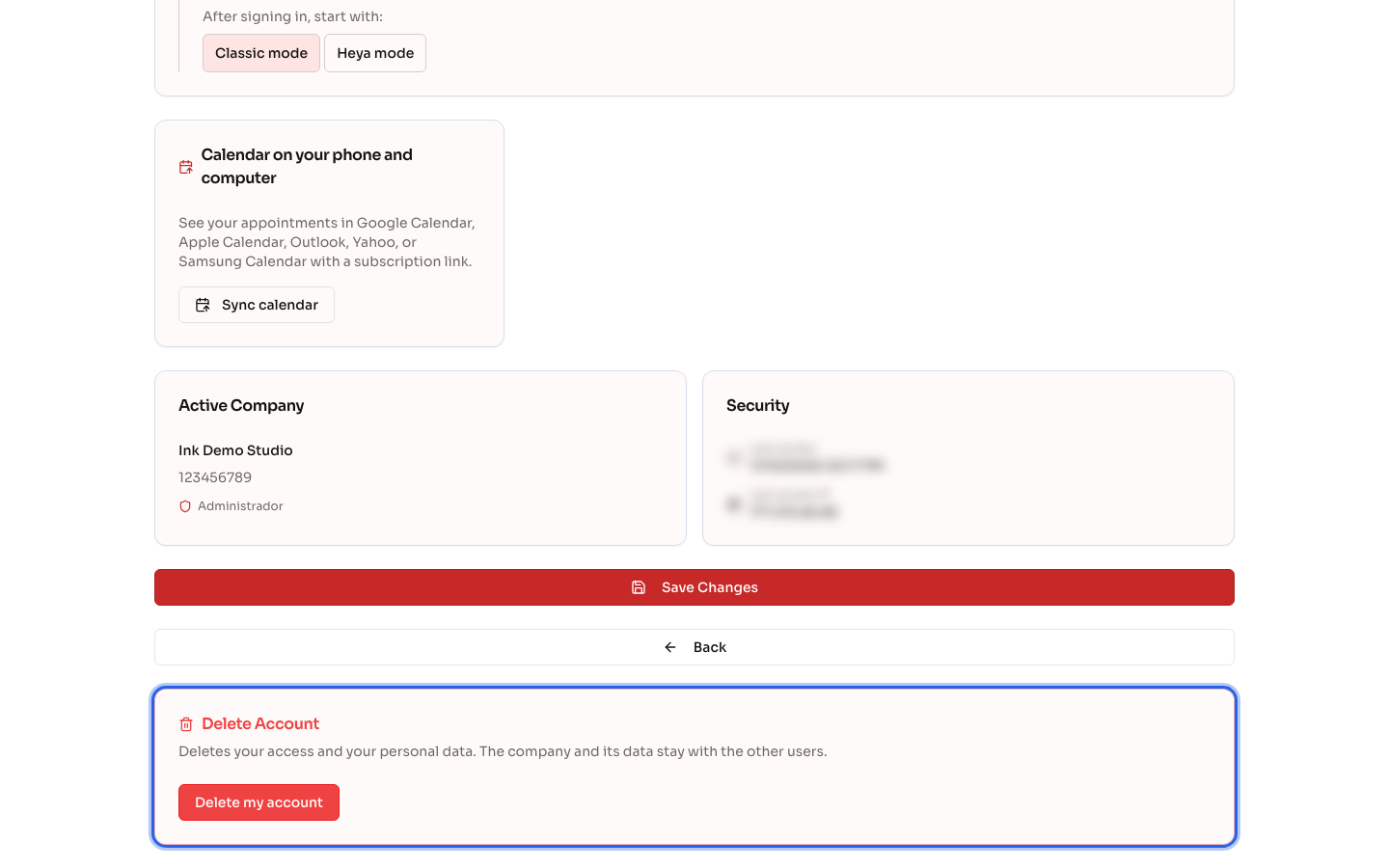
Section titled “Step 1 — Open your Profile”In your user menu, tap Profile and scroll to the bottom of the page, to the Delete Account card. Tap Delete my account.
Step 2 — Confirm the deletion
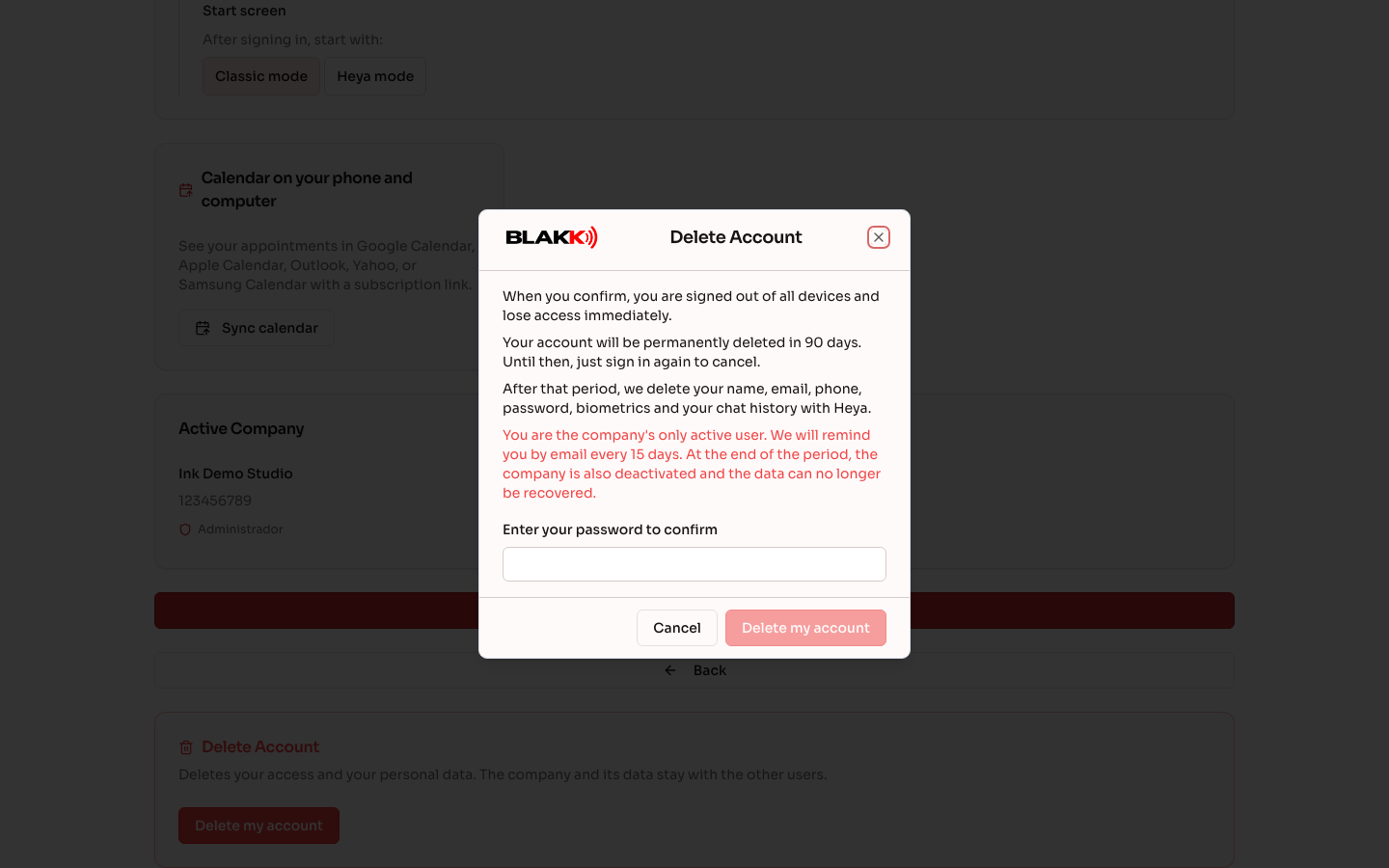
Section titled “Step 2 — Confirm the deletion”Read what will happen, enter your password (or the code sent by email, or confirm with Apple), and tap Delete my account. You’ll be signed out of all devices right away.
Step 3 — Delete your account from the page without signing in
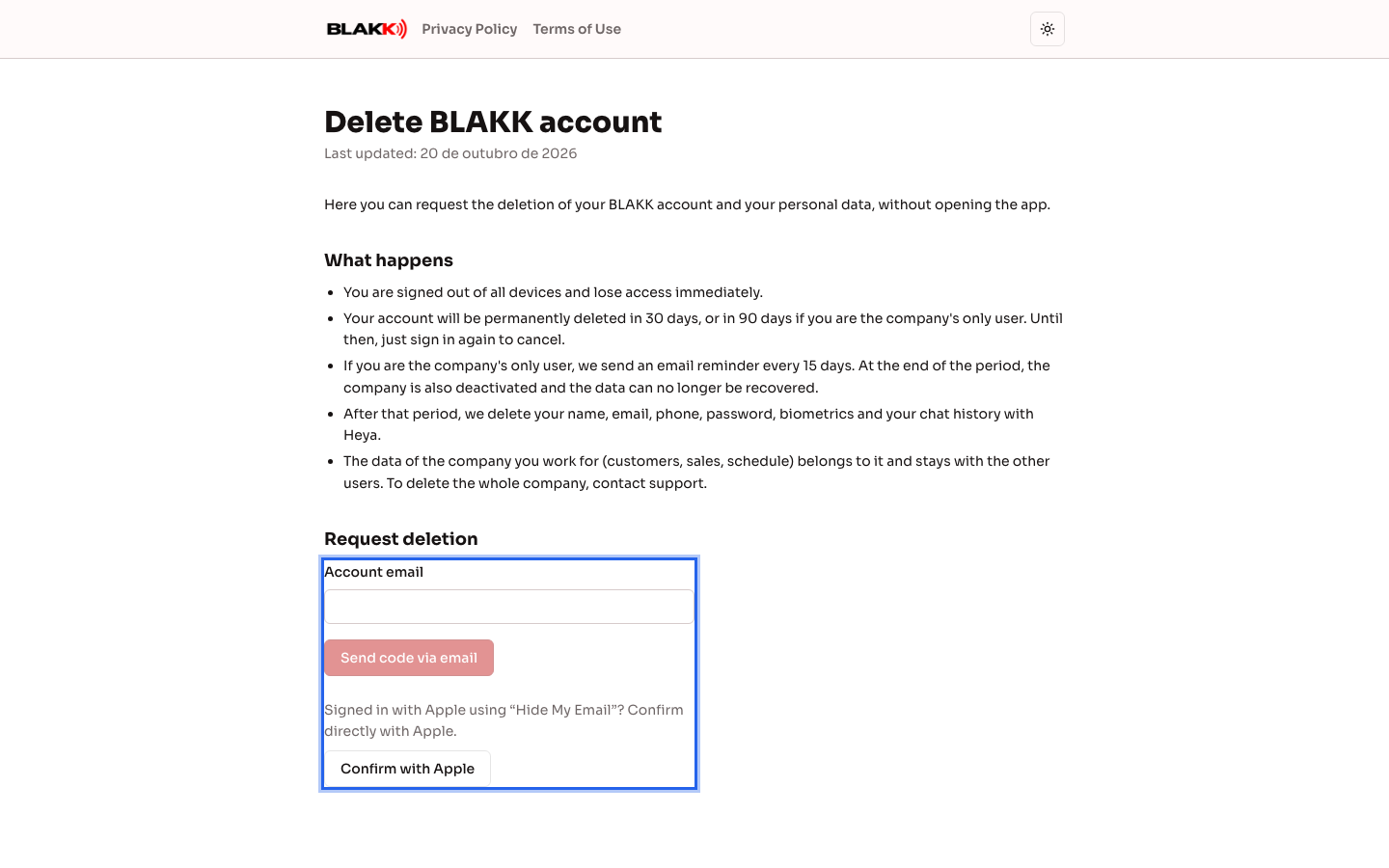
Section titled “Step 3 — Delete your account from the page without signing in”Open your system’s web address followed by /excluir-conta (on sites that offer account creation, the link is also on the login screen under Delete my account). Enter the email address for your account, enter the code sent by email, and confirm. If you signed in with Apple using “Hide My Email,” tap Confirm with Apple.
What happens next
Section titled “What happens next”- Right away: you’ll be signed out of all devices and won’t be able to use the system, WhatsApp, or Heya’s Telegram.
- Time to cancel: 30 days, or 90 days if you’re the studio’s only user. During this period, just sign in again. The system will ask if you want to Cancel deletion and sign in, and everything will be restored as it was.
- Reminders: if you’re the only user, you’ll receive an email every 15 days telling you how many days are left.
- At the end of the period: your personal data is deleted and can’t be recovered. If the studio has no users left, it will also be deactivated.
- What stays: the studio’s data (client records, sales, appointments, and forms). Sales and tax documents may retain your name as the person responsible for the transaction for as long as required by law.
Common mistakes and questions
Section titled “Common mistakes and questions”Q: I deleted my account by mistake. Can I get it back? A: Yes, within the cancellation period (30 or 90 days). Sign in as usual with your email and password, Google, or Apple, and choose Cancel deletion and sign in. Everything will be restored as it was.
Q: I tried to sign in at the POS terminal with my PIN or face, but couldn’t. Why? A: Accounts with a scheduled deletion can’t sign in through the POS. Use the email login screen to cancel the deletion.
Q: I didn’t receive the code by email. A: Check your spam folder and wait a few minutes. For security reasons, the page doesn’t say whether an account exists for that email address. If the address is incorrect, no code will arrive.
Q: I signed in with Apple and chose “Hide My Email.” How do I delete my account? A: In Profile, the system asks you to confirm with Apple. On the page, tap Confirm with Apple: the system finds your account using your Apple ID, so you don’t need your email address.
Q: I want to delete the entire studio, not just my account. A: Deleting your account doesn’t delete the studio’s data. To delete the entire business, contact support.
Q: Can I create a new account with the same email after the cancellation period? A: Yes. The new account starts empty. Another user or support will need to grant it access to the old studio.