Blakk: the complete system for managing your tattoo, piercing, and micropigmentation studio
What it is
Section titled “What it is”Blakk is a management system built for tattoo, piercing, and micropigmentation studios. It brings together everything that’s often scattered across a paper calendar, a WhatsApp group, a financial spreadsheet, and the owner’s memory: appointments, client records with photos, sales (one-time or in installments), finances, and reports. Spend less time reconciling information and more time tattooing.
When to use it
Section titled “When to use it”- You own a studio and want to open a single screen in the morning to see how your business is doing today — appointments, sales, and what’s still owed.
- You’re a tattoo artist and need to keep a client’s history, with records and photos, without relying on loose papers.
- It’s the end of the month, and you need to know how much commission each tattoo artist is owed, without building a spreadsheet from scratch.
- A client calls to ask if there’s an opening for a full sleeve — and you need to answer right away by checking each tattoo artist’s actual schedule.
Before you start
Section titled “Before you start”You don’t need any technical knowledge or software installation — Blakk runs in your browser, on a computer or phone. To get started, just create your studio account: it’s set up with the terminology and workflow for tattooing, piercing, and micropigmentation, so you don’t have to configure everything from scratch.
Step by step
Section titled “Step by step”Step 1 — A full schedule, with no one overlooked
Section titled “Step 1 — A full schedule, with no one overlooked”Imagine your studio’s front desk on a Friday: one client calls to ask if there’s an opening for a full sleeve next week, another confirms their appointment on WhatsApp, and a third has completely forgotten their scheduled appointment. In Appointments, you can see each tattoo artist’s schedule side by side, book a new appointment in seconds, and keep track of who hasn’t confirmed yet. Clients who prefer to book on their own can use your studio’s online booking link.
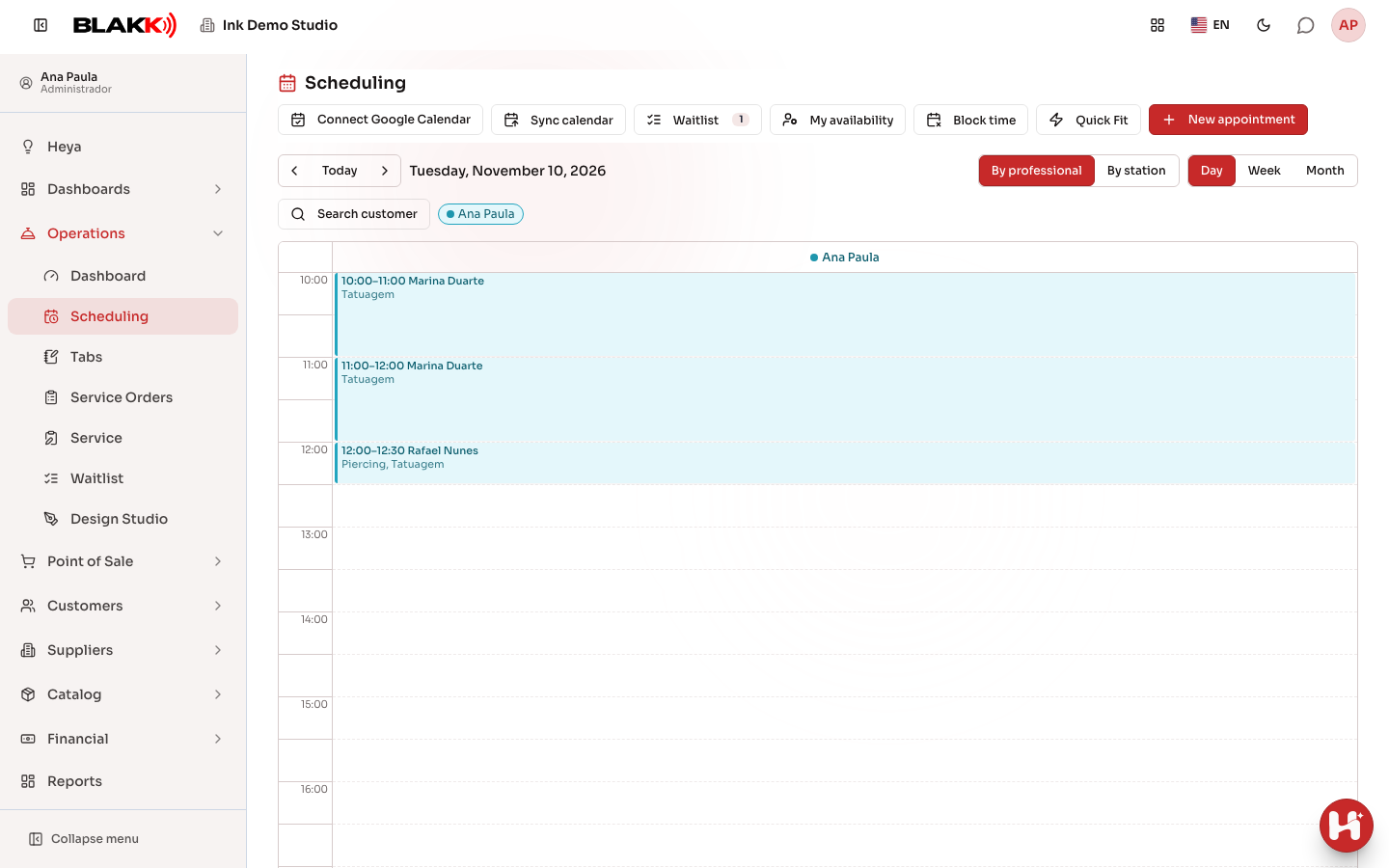
Step 2 — Document each appointment with client records and photos
Section titled “Step 2 — Document each appointment with client records and photos”When it’s time for the appointment, the tattoo artist opens that client’s Appointment and records everything there: what was done, the instructions given to the client, before, during, and after photos, and any notes — no loose papers and no relying on memory weeks later.
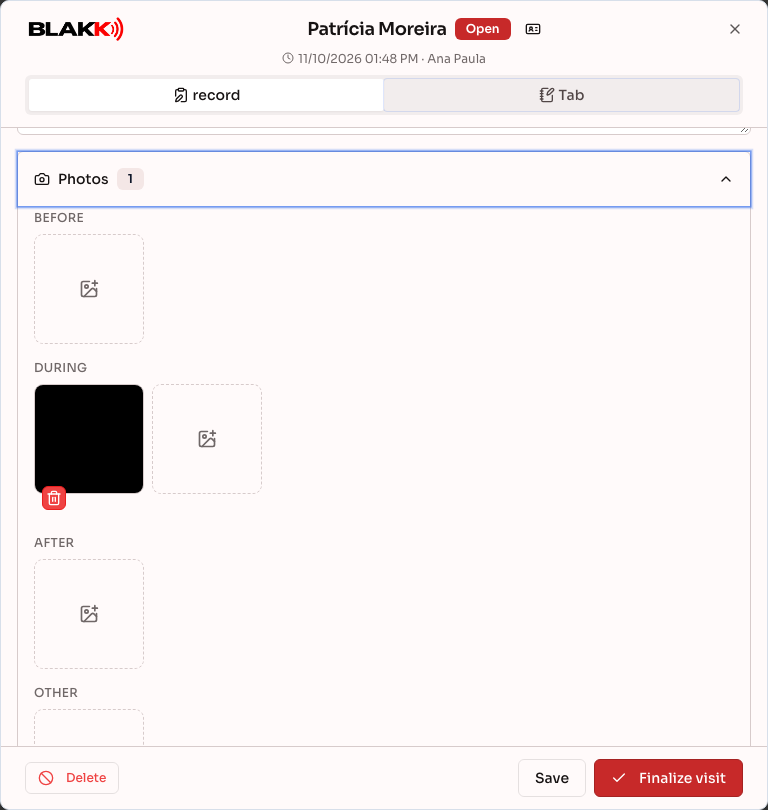
Step 3 — From a quick sale to a tattoo paid for in installments
Section titled “Step 3 — From a quick sale to a tattoo paid for in installments”Every sale goes through the Sales Ticket. A simple piercing? Open the sales ticket, add the product, collect payment, and you’re done. A large tattoo done over several sessions and paid for in installments? The same sales ticket works for that too: each service added has its own client record (style, location, and theme) and assigned tattoo artist, which counts toward their commission. The notes keep track of what was agreed with the client. Each installment is recorded as a partial payment, and the sales ticket shows how much is still owed. Once the final installment is paid, it closes automatically: the sale is recorded and the inventory for the products used is updated.
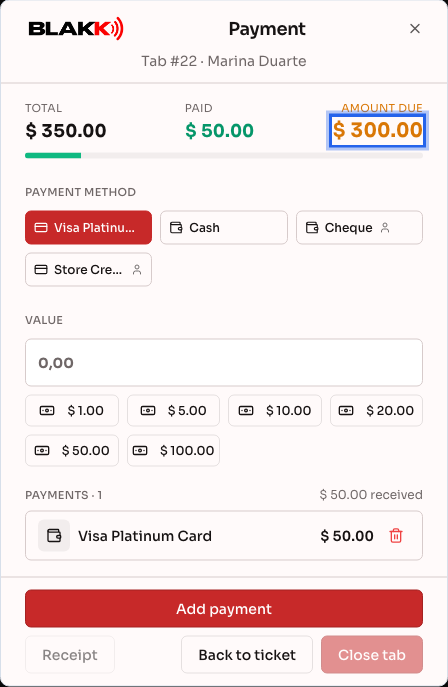
Step 4 — Your whole day, on one dashboard
Section titled “Step 4 — Your whole day, on one dashboard”You don’t have to open a different screen for each task. The Dashboard shows the day’s revenue, the number of appointments, schedule occupancy, profit from sales tickets after materials and supplies are deducted, and anything still pending — all at a glance as soon as you log in.
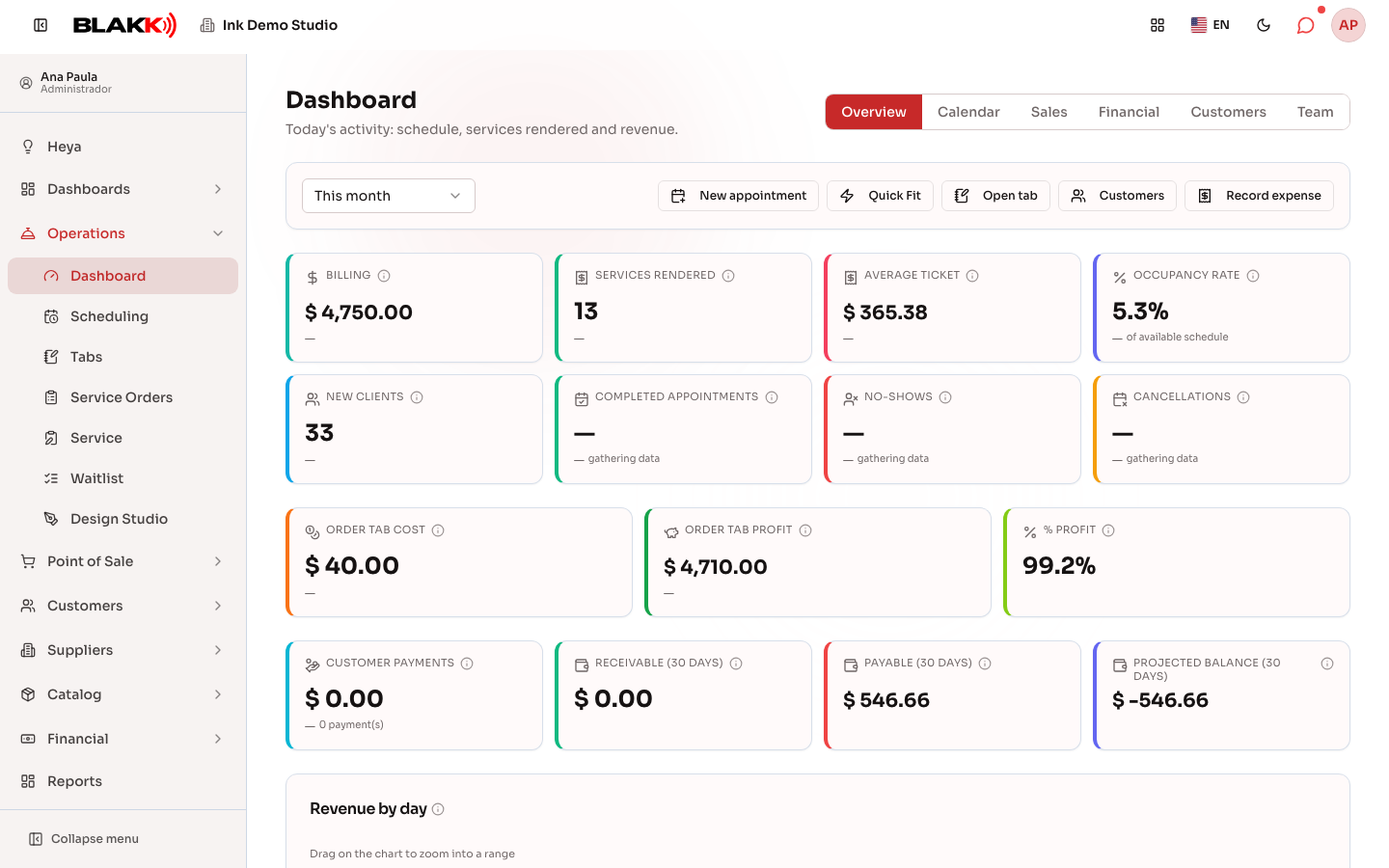
Step 5 — Stay on top of your finances, without a spreadsheet
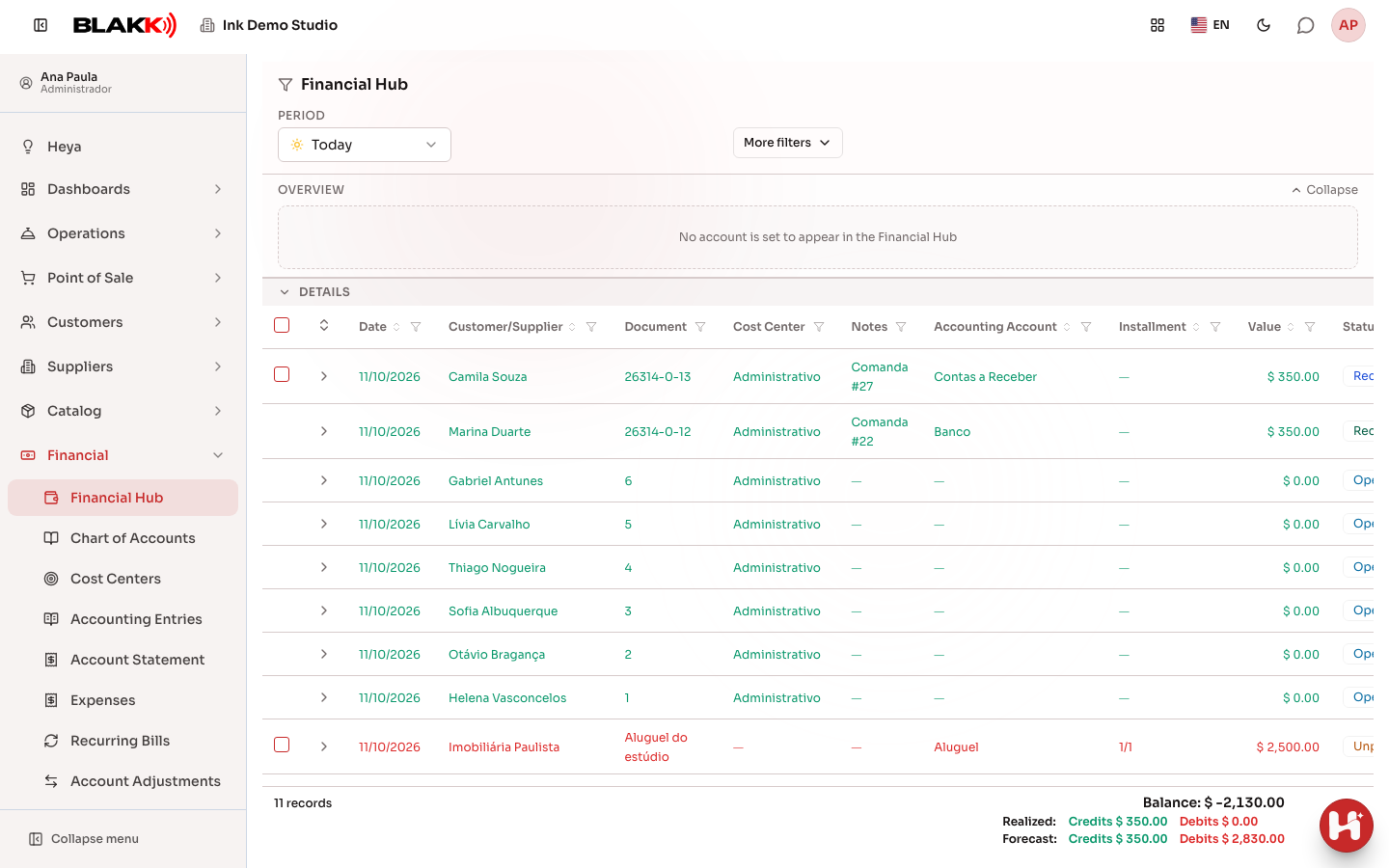
Section titled “Step 5 — Stay on top of your finances, without a spreadsheet”Accounts payable and receivable, and what’s already been paid and collected — the Financial Hub brings it all together in one list, based on what’s already been sold and entered, so you don’t have to copy anything into a separate spreadsheet. Each tattoo artist’s commission appears in the Dashboard’s Team tab.
Step 6 — Reports ready to help you make decisions
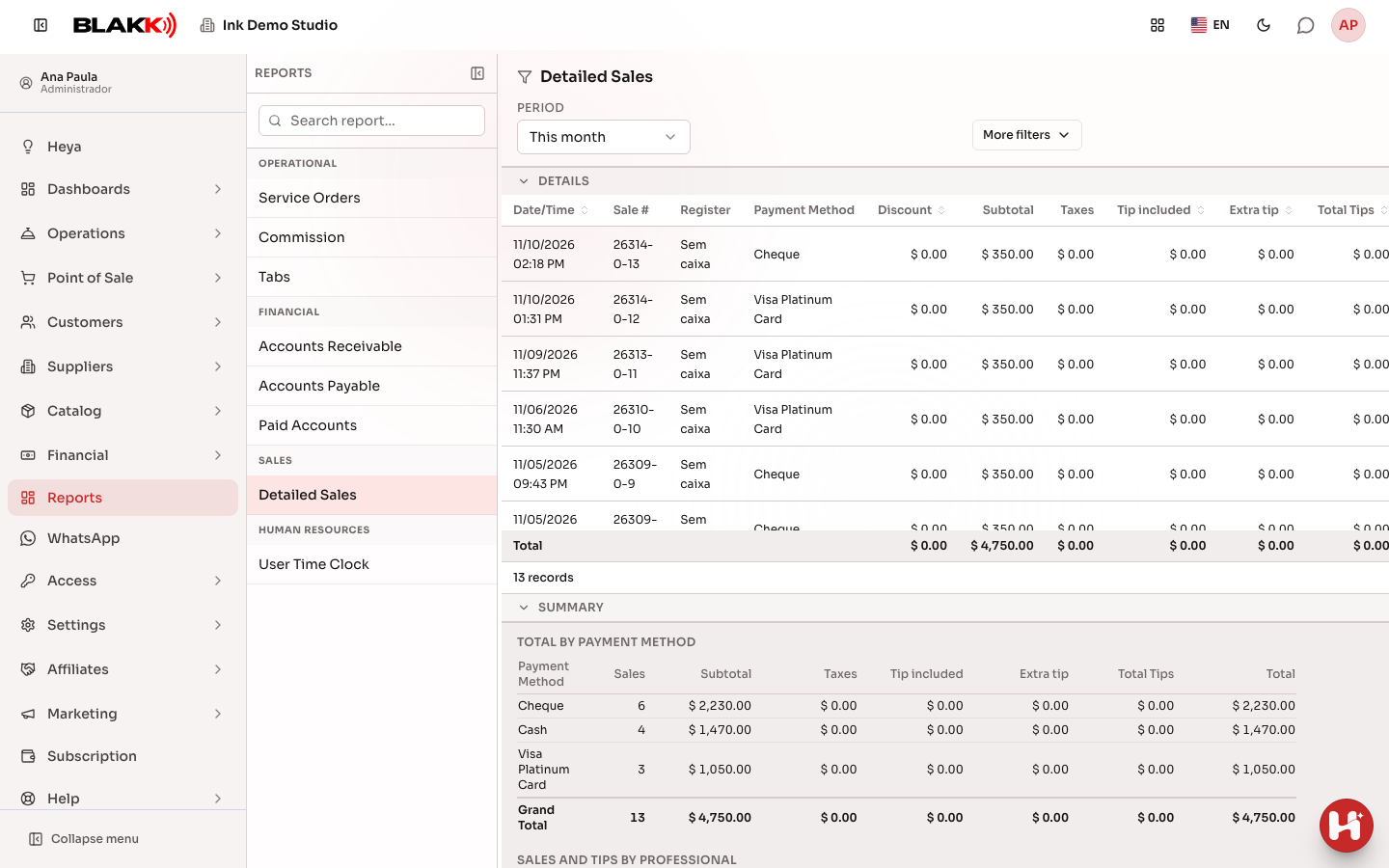
Section titled “Step 6 — Reports ready to help you make decisions”Want to see everything sold this month, filter by payment method, and send it to your accountant? The reports are ready to go, with filters and spreadsheet (CSV) and PDF exports — no need to put anything together manually. Compare results with the previous month in the Dashboard.
What happens next
Section titled “What happens next”- Spend less time reconciling paper, WhatsApp, and spreadsheets — client, sales, and financial information is all in one place for any authorized team member to access.
- Make decisions based on real numbers, not guesswork: revenue, commissions, and schedule occupancy are easy to see.
- Each client’s history — records, photos, what’s been done, and what’s been paid — is saved and available for their next visit, even months later.
- You can configure each team member’s access: the owner decides who can see what under Access → Profiles.
Common mistakes and questions
Section titled “Common mistakes and questions”Q: Do I need to install any software to use Blakk? A: No — it runs right in your browser, with no installation required. You can access it from any computer or phone with an internet connection.
Q: Does it work on a phone? A: Yes, the system adapts to your phone’s screen and also works normally on a computer. On list screens, the add button appears as + to the right of the title, and the filters are under the filters button (the sliders icon) next to the search bar. Tap it to open or close the filter panel. The number in the corner shows how many filters are active.
Q: Do I need to be good with technology to use it? A: No — the home screen shows a summary of the day as soon as you log in, with no setup required. Every screen in the system also has its own article in this help center, with step-by-step instructions and real screenshots.
Q: Does Blakk work for tattooing, piercing, and micropigmentation? A: Yes — the system was designed for all three, with client records and appointment workflows tailored to these types of businesses from the initial signup.
Q: How do I get started with Blakk at my studio? A: See the Sign-up article — the process creates your account with the right terminology and workflow for tattooing, piercing, and micropigmentation, so you don’t have to configure anything from scratch.
Q: Where can I find help for a specific screen, beyond this general overview? A: Every Blakk feature has its own article in this help center — use the sidebar menu or search to find the screen you’re using.