Anamnesis Consent Form: Write Your Own
What it is
Section titled “What it is”This is your consent form, written by you in the anamnesis template. Customers read it in the last step of the form, before signing, and confirm that they have read and accepted it. This lets each studio set its own rules (risks, aftercare, minimum age, image use) instead of using generic text.
When to use it
Section titled “When to use it”- You already have a liability waiver on paper and want customers to accept the same text in the digital form before getting a full sleeve tattoo.
- Tattoos and piercings require different aftercare: each anamnesis template can have its own consent form, so a customer getting a helix piercing reads the piercing consent form.
- You want to highlight an important rule (for example, “do not drink alcohol within 24 hours beforehand”) in bold, red, or larger text.
Before you start
Section titled “Before you start”- The consent form is part of an anamnesis template. If you haven’t created yours yet, see Anamnesis Templates.
- If you can’t edit the template, ask the studio owner to grant you access under Access → Profiles.
- The consent form is optional. If you don’t add one, the form will still show the system’s default consent text (see “What happens next”).
The Default Model, created with the Create Default Model button or when you set up your studio, already includes a sample consent form. Use it as a starting point: read it, adjust it to your studio’s rules, and check with a lawyer if needed. Default Models created before this version won’t have the consent form automatically added. For those, write or paste the text in the new tab.
Step by step
Section titled “Step by step”Step 1 — Open the anamnesis template
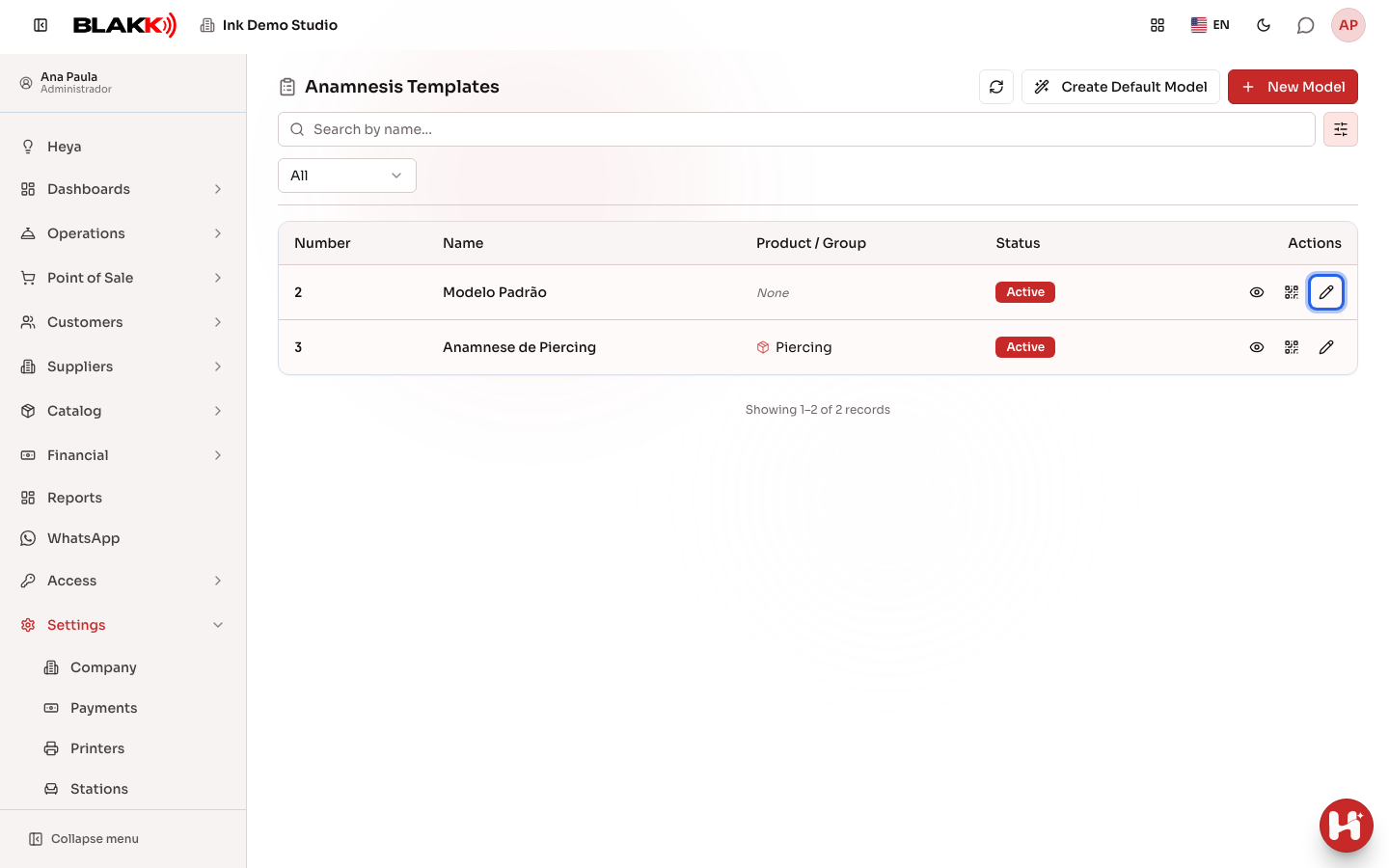
Section titled “Step 1 — Open the anamnesis template”Under Anamnesis Templates, click Edit on the row for the template you want to add the consent form to (or click New Model to create one).
Step 2 — Open the consent form tab
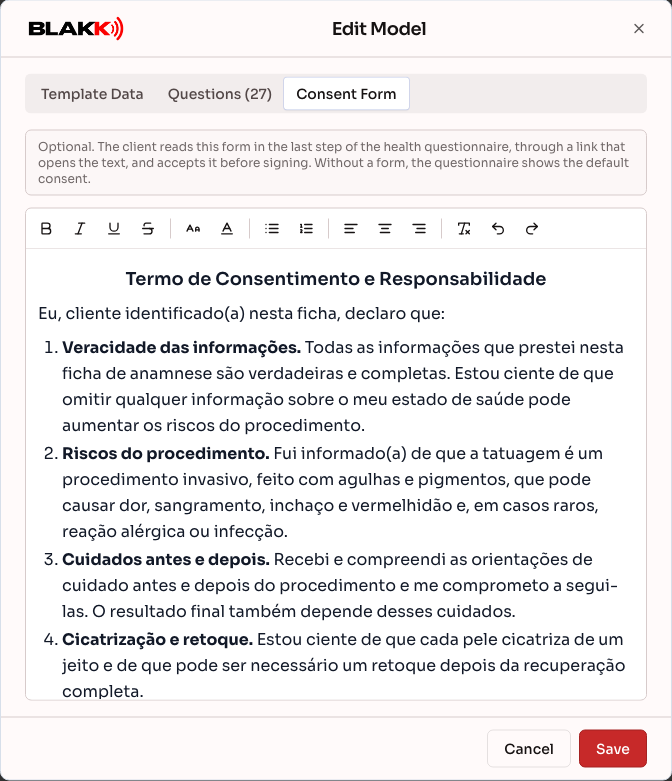
Section titled “Step 2 — Open the consent form tab”In the Edit Model window, click the Consent Form tab next to Template Data and Questions. On a phone, swipe the tabs sideways if the third one isn’t fully visible.
Step 3 — Write and format the consent form
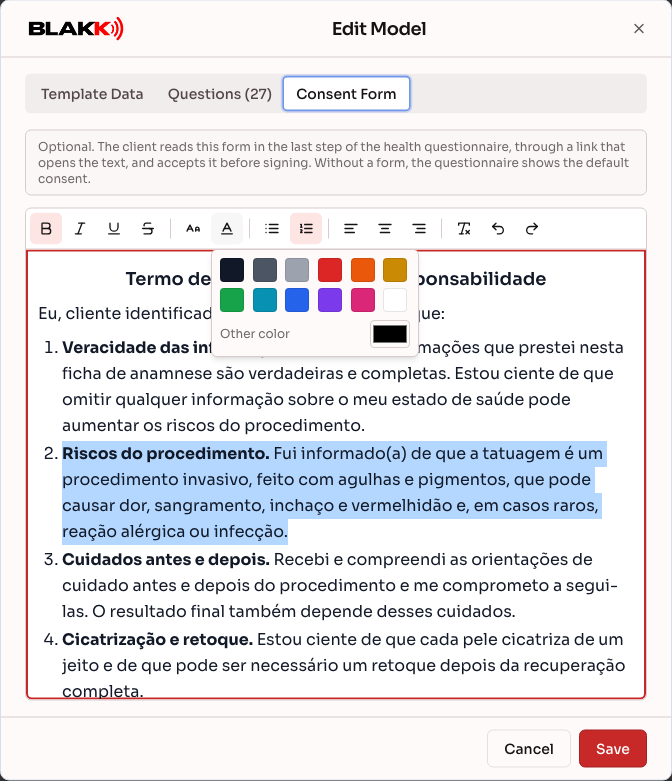
Section titled “Step 3 — Write and format the consent form”Type your text in the white area, or paste in the consent form you already have (from a document or website). The Default Model already has a sample consent form filled in, so just adjust anything that’s different for your studio. To format the text, select it and use the toolbar at the top. Hover over a button to see its name:
- Bold, Italic, Underline, and Strikethrough;
- Font size: Small, Normal, Large, or Extra large;
- Text color: choose one of the available colors, or click Other color to choose another color;
- Bulleted list and Numbered list to organize clauses;
- Align left, Center, and Align right;
- Clear formatting removes formatting from the selected text; Undo and Redo undo or redo your last change.
The editing area has a white background on purpose: customers see the consent form this way, so the colors you choose will look the same to them, even if their phone is in dark mode.
Step 4 — Save
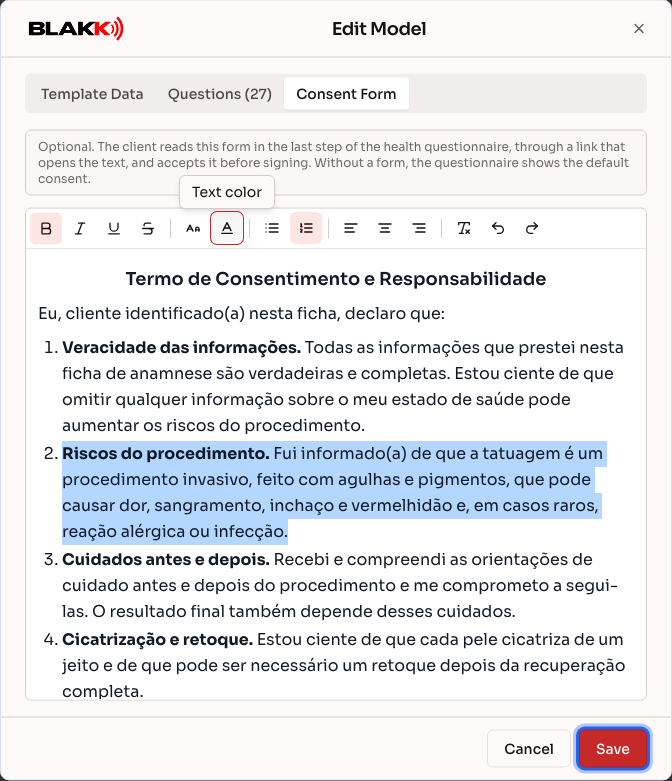
Section titled “Step 4 — Save”Click Save. The consent form is saved along with the rest of the template using the same button. From then on, every new form using this template will show the consent form to the customer.
Step 5 — How customers see the consent form
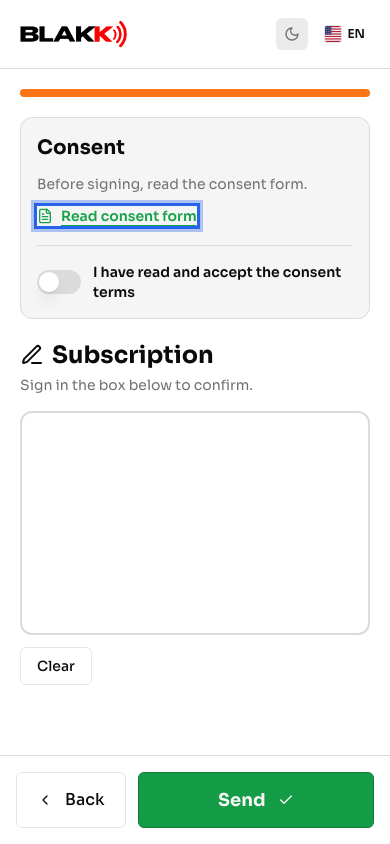
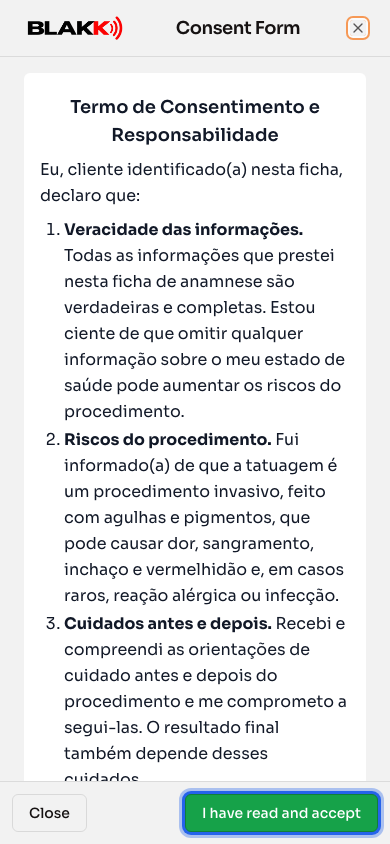
Section titled “Step 5 — How customers see the consent form”In the last step of the form, before the signature box, customers see the message Before signing, read the consent form. and the Read consent form link. The link opens the full consent form in a window, with the formatting you chose.
Step 6 — The customer accepts and signs
Section titled “Step 6 — The customer accepts and signs”In the consent form window, the customer taps I have read and accept. The window closes, and the I have read and accept the consent terms option is checked. They can also close the window with Close and check the option afterward. Then they sign in the box and tap Send. The form can’t be submitted until they accept.
What happens next
Section titled “What happens next”- If there’s no consent form, nothing changes for the customer: the last step still shows the system’s default consent text (accuracy of the information, before- and aftercare, results that vary from person to person, and authorization for the procedure) directly on the screen, without a link.
- If you delete all the consent form text and save, the template goes back to the default consent text.
- Each signed form keeps a copy of the consent form the customer accepted. The system saves a copy of the text and the date and time of acceptance. In the open form, Consent form accepted on shows when it was accepted, and View accepted form opens the text as it appeared at that time. If you didn’t add your own consent form, the saved copy is the default consent text in Portuguese, even if the customer viewed the page in another language.
- Changes to the consent form apply only to new forms. Forms that have already been signed keep the copy of the consent form the customer accepted, and no one needs to accept it again.
- If you change the consent form while someone is filling out a form, their submission will be rejected with The consent form has been updated. Read the new form and accept it again.. The page loads the new consent form and clears the acceptance checkbox without losing the answers.
- The consent form appears on forms customers fill out using a link or QR Code (Generate QR Code), as well as on forms completed by your team in the system, just above the signature box. In both cases, the person signing must check the acceptance box.
- The consent form appears exactly as you wrote it, without translation. If the customer changes the page language, the buttons change, but the consent form text stays in the language you wrote it in.
- Learn how signatures are recorded in Digital signatures for anamnesis forms on screen.
Common mistakes and questions
Section titled “Common mistakes and questions”Q: Can each anamnesis template have a different consent form? A: Yes. The consent form is part of the template. Tattoos, piercings, and micropigmentation can each have different consent forms, and customers see the consent form for the template they’re filling out.
Q: I pasted the consent form from a document, but some of the formatting disappeared. Why? A: For security, the system only accepts text formatting (bold, italics, colors, font sizes, lists, headings, and alignment), links, and simple tables. Code, scripts, forms, and other pasted elements are removed. After pasting, use the editor toolbar to restore any formatting that’s missing.
Q: I got the message “The consent form is too large.” What should I do? A: There’s a size limit for consent forms, which a document that’s several pages long usually won’t exceed. This message almost always appears because the pasted text included a lot of hidden formatting. Select everything, click Clear formatting, and then reapply only the formatting you need.
Q: How can I tell which consent form a customer accepted? A: Open their form (for example, under Customer Summary, on the Anamneses tab) and click View accepted form, below the signature and the Signature details box. Forms signed before this version don’t have the acceptance saved and won’t show the button.
Q: Does the customer have to open the consent form to sign? A: They don’t have to open the window, but they must check I have read and accept the consent terms. If they accept in the window, the option is already checked.
Q: I accidentally deleted the consent form. Can I get it back? A: While the window is still open, click Undo or close it with Cancel without saving. After you save, the previous text isn’t stored, so you’ll need to write or paste it again.
Q: Is the sample consent form in the Default Model legally valid? A: It’s a starting point written for tattooing. The system doesn’t check whether it complies with the laws in your area or the requirements for your business. Review it against your studio’s rules and, if needed, with a lawyer.